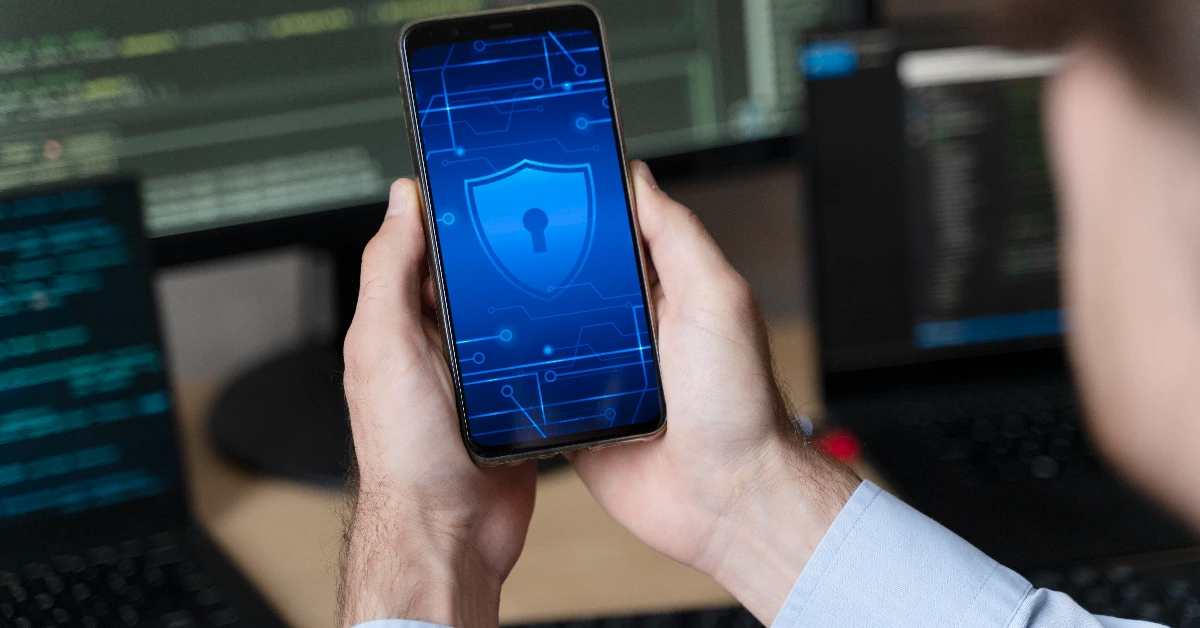
Mobile hacking means cybercriminals gaining unauthorized access to your smartphone to steal data, spy on you, or take control of the device. In 2025, smartphone attacks have reached record levels: mobile malware infections are up over 30% year-over-year, phishing via SMS and messaging apps has surged nearly 60%, and sophisticated spyware continues to target both everyday users and high-profile individuals. Whether you use Android or iPhone, no device is immune.
Your phone now holds banking details, private photos, work emails, and location history—making it one of the most valuable targets for attackers. Learning how to protect your phone from hackers is no longer optional; it’s essential for keeping your money, identity, and privacy safe. This complete A–Z guide gives you everything you need: how attacks happen, universal defenses, iPhone- and Android-specific tips, warning signs, recovery steps, and advanced tactics.
Understanding How Hackers Work Before Learning How To Protect Your Phone From Hackers
Hackers use a handful of proven methods to break into smartphones: malware, fake apps, public Wi-Fi interception, phishing, SIM swapping, and social engineering. Understanding these is the foundation of knowing how to protect your phone from hackers.
Malware & Spyware: Malicious apps or files quietly grant attackers access to your camera, microphone, texts, keystrokes, and banking apps.
Phishing & Social Engineering: Fake messages, emails, or calls trick you into handing over passwords, one-time codes, or clicking malicious links.
Public Wi-Fi Attacks (Man-in-the-Middle): On open networks, attackers intercept everything you send and receive—logins, messages, and payment details.
OS Vulnerabilities: Every month, both Apple and Google release patches for serious flaws that would otherwise let hackers execute code remotely.
Recognizing these common attack paths is the first real step toward knowing exactly how to protect your phone from hackers.
Essential Steps On How To Protect Your Phone From Hackers
These five core habits work on every smartphone and stop the vast majority of attacks.
Turn On Two-Factor Authentication (2FA): Even if your password leaks, a second step (app code or biometric) blocks unauthorized logins almost 100% of the time.
Use Strong, Unique Passwords: Create 12–16 character passphrases and store them in a reputable password manager—never reuse passwords across accounts.
Keep OS & Apps Updated: Security patches close the exact holes hackers exploit; enable automatic updates so you’re never behind.
Download Apps Only From Official Stores: Stick to the Apple App Store or Google Play—third-party APKs and stores are the #1 source of mobile malware.
Install a Verified Mobile Security App: A trusted antivirus with real-time scanning and anti-phishing adds an extra safety net.
Master these basics and you’ve already made it extremely difficult for anyone to compromise your phone.
How To Protect Your Phone From Hackers Online
Most hacks now start online. Simple browsing and messaging habits are all that stand between you and remote attackers.
Use a Secure Browser: Safari, Chrome, or Firefox with strict privacy settings and automatic HTTPS enforcement block the majority of malicious sites.
Avoid Clicking Unknown Links: Never tap links in unsolicited texts, emails, or WhatsApp messages—verify the sender first.
Use VPN on Untrusted Networks: A reputable VPN encrypts everything, making public Wi-Fi and cellular data useless to eavesdroppers.
Disable Auto-Connect for Wi-Fi & Bluetooth: Prevent your phone from automatically joining fake hotspots or pairing with malicious devices.
Practicing these four habits is the cornerstone of how to protect your phone from hackers online.
How To Protect Your Phone From Hackers on iPhone
iPhones are inherently secure, but phishing, jailbreaking, and iCloud attacks still succeed when users skip key protections.
Enable Lockdown Mode (iOS 16+): Dramatically reduces attack surface—perfect for anyone worried about targeted spyware.
Turn On Find My & Activation Lock: Makes a stolen iPhone nearly worthless and lets you remotely erase it.
Limit App Permissions: Restrict camera, microphone, and location access to “While Using the App” only.
Never Jailbreak: Removing Apple’s restrictions instantly voids most built-in security guarantees.
Follow these iOS-specific steps and you’ll get the maximum protection Apple designed into the platform.
How To Protect Your Phone From Hackers on Android
Android’s openness brings power—and extra responsibility. A few settings make the difference between safe and vulnerable.
Enable Google Play Protect: Built-in malware scanner that checks every app, every day.
Never Install APKs From Unknown Sources: Keep “Install unknown apps” turned off—most Android malware arrives this way.
Customize App Permissions: Deny unnecessary access to contacts, SMS, location, camera, and microphone.
Use Secure Folder or Private Space: Samsung, Google Pixel, and many others offer encrypted vaults for sensitive apps and files.
Stay disciplined with these Android habits and you’ll neutralize the platform’s biggest risks.
Signs Your Phone Might Already Be Hacked
Catch a compromise early and you limit the damage. Watch for these reliable red flags:
Battery draining much faster than normal
Sudden spikes in mobile data usage
Phone getting hot even when idle
Apps you don’t remember installing
Random pop-ups, ads, or browser redirects
If you notice two or more of these, act immediately—it’s far easier to secure a phone before serious theft occurs.
Steps to Take Immediately If Your Phone Is Hacked
Speed is everything. Follow this exact order:
Switch to Airplane Mode to stop data leaks
Change all important passwords from a different, trusted device
Run a full scan with a reputable mobile antivirus
Uninstall any suspicious or unfamiliar apps
Factory reset as a last resort (after backing up clean data)
Quick, decisive action usually restores full control and prevents lasting harm.
Advanced Ways To Protect Your phone From Hackers
Journalists, activists, executives, and frequent travelers often need extra layers:
Use fully encrypted messaging (Signal, WhatsApp, iMessage)
Set a SIM PIN with your carrier to block swaps
Disable USB debugging (Android) and USB accessories (iPhone) when not needed
Add hardware security keys (YubiKey, Titan) for critical accounts
These measures defend against nation-state level attacks that basic habits alone can’t stop.
Frequently Asked Questions
Can someone hack my phone just by calling me?
Extremely rare in 2025—modern patches have closed most zero-click call exploits, but never answer unknown numbers that could be social-engineering attempts.
Are iPhones really safer than Android phones?
iPhones see far fewer malware infections because of Apple’s closed ecosystem, but both platforms are equally vulnerable to phishing and stolen passwords.
Does turning off Bluetooth help security?
Yes—leaving it on allows potential tracking and rare exploitation attacks. Turn it off when not in use.
What’s the safest way to update apps?
Enable automatic updates over Wi-Fi in the official App Store or Play Store—never sideload updates.
How often should I check my phone for hacking signs?
Once a week is enough for most people; high-risk users should check daily.
Conclusion
Protecting your phone from hackers is 100% possible when you turn knowledge into daily habits. Strong passwords, automatic updates, official app sources, 2FA, and smart online behavior stop almost every common attack. Whether you’re on iPhone or Android, start applying these steps today, review them monthly, and you’ll stay ahead of even the most determined cybercriminals in 2025 and beyond. Share this guide with friends and family—because everyone deserves a secure phone.